本页还没有译文
本页 33 段还没译成日本語,下面显示的是英文原文。Tags
还没翻译译自英文(langfuse.com)本页 33 段都还没译
Tags allow you to categorize and filter observations and traces in Langfuse.
Tags are strings (max 200 characters each) and an observation may have multiple tags. If a tag exceeds 200 characters, it will be dropped.
Note
The full set of tags applied across all observations in a trace are automatically aggregated and added to the trace object in Langfuse.
In the Langfuse UI
Once observations have tags assigned, you can:
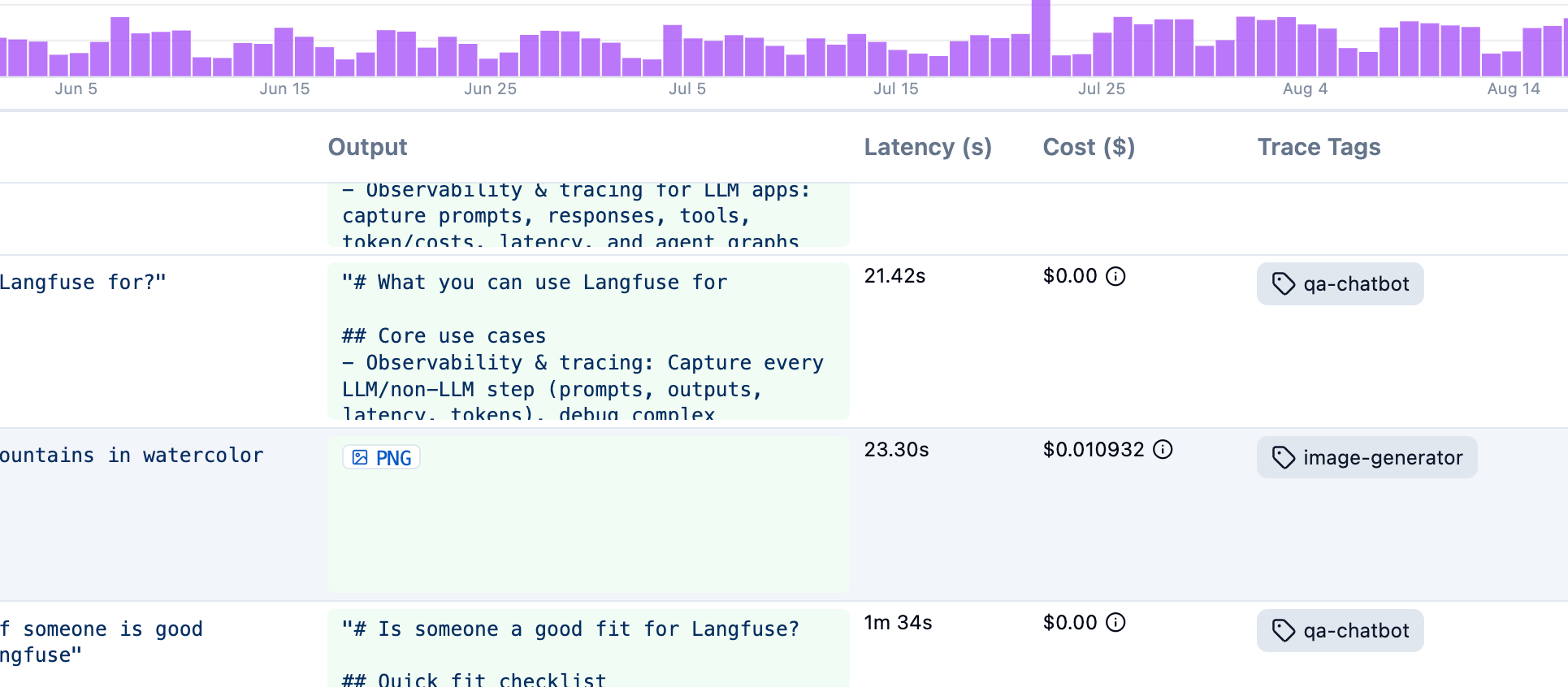
- Filter the traces and observations tables by one or more tags, including from the filter search bar (
tags:(billing AND urgent)). - Segment custom dashboards and metrics by tag, for example cost or latency of
checkoutversussupport-bot. - Organize traces by feature, endpoint, or workflow without mixing those categories into environment, user, or session.
Tags cannot be changed later
Because Langfuse uses an immutable data model for observations, tags can't be added or edited in the UI after they're created.
Implementation
Use propagate_attributes() to apply tags to a group of observations within a context.
Python SDKJS/TS SDKOpenAI (Python v2)OpenAI (JS/TS)Langchain (Python)Langchain (JS/TS)
When using the @observe() decorator:
from langfuse import observe, propagate_attributes

@observe()
def my_function():
    # Apply tags to all child observations
    with propagate_attributes(
        tags=["tag-1", "tag-2"]
    ):
        # All nested observations automatically have these tags
        result = process_data()
        return result
When creating observations directly:
from langfuse import get_client, propagate_attributes

langfuse = get_client()

with langfuse.start_as_current_observation(as_type="span", name="my-operation") as root_span:
    # Apply tags to all child observations
    with propagate_attributes(tags=["tag-1", "tag-2"]):
        # All observations created here automatically have these tags
        with root_span.start_as_current_observation(
            as_type="generation",
            name="llm-call",
            model="gpt-4o"
        ) as gen:
            # This generation automatically has the tags
            pass
When using the context manager:
import { startActiveObservation, propagateAttributes } from "@langfuse/tracing";

await startActiveObservation("context-manager", async (span) => {
  span.update({
    input: { query: "What is the capital of France?" },
  });

  // Apply tags to all child observations
  await propagateAttributes(
    {
      tags: ["tag-1", "tag-2"],
    },
    async () => {
      // All observations created here automatically have these tags
      // ... your logic ...
    }
  );
});
When using the observe wrapper:
import { observe, propagateAttributes } from "@langfuse/tracing";

const processData = observe(
  async (data: string) => {
    // Apply tags to all child observations
    return await propagateAttributes(
      { tags: ["tag-1", "tag-2"] },
      async () => {
        // All nested observations automatically have these tags
        const result = await performProcessing(data);
        return result;
      }
    );
  },
  { name: "process-data" }
);

const result = await processData("input");
See JS/TS SDK docs for more details.
from langfuse import get_client, propagate_attributes
from langfuse.openai import openai

langfuse = get_client()

with langfuse.start_as_current_observation(as_type="span", name="openai-call"):
    # Apply tags to all observations including OpenAI generation
    with propagate_attributes(
        tags=["tag-1", "tag-2"]
    ):
        completion = openai.chat.completions.create(
            name="test-chat",
            model="gpt-3.5-turbo",
            messages=[
                {"role": "system", "content": "You are a calculator."},
                {"role": "user", "content": "1 + 1 = "}
            ],
            temperature=0,
        )
Alternatively, when using OpenAI without an enclosing observation:
from langfuse.openai import openai

completion = openai.chat.completions.create(
  name="test-chat",
  model="gpt-3.5-turbo",
  messages=[
    {"role": "system", "content": "You are a calculator."},
    {"role": "user", "content": "1 + 1 = "}],
  temperature=0,
  metadata={"langfuse_tags": ["tag-1", "tag-2"]}
)
import OpenAI from "openai";
import { observeOpenAI } from "@langfuse/openai";
import { startActiveObservation, propagateAttributes } from "@langfuse/tracing";
await startActiveObservation("openai-call", async () => {
// Apply tags to all observations
await propagateAttributes(
{
tags: ["tag-1", "tag-2"],
},
async () => {
const res = await observeOpenAI(new OpenAI()).chat.completions.create({
messages: [{ role: "system", content: "Tell me a story about a dog." }],
model: "gpt-3.5-turbo",
max_tokens: 300,
});
}
);
});from langfuse import get_client, propagate_attributes
from langfuse.langchain import CallbackHandler
langfuse = get_client()
langfuse_handler = CallbackHandler()
with langfuse.start_as_current_observation(as_type="span", name="langchain-call"):
# Apply tags to all child observations
with propagate_attributes(
tags=["tag-1", "tag-2"]
):
response = chain.invoke(
{"topic": "cats"},
config={"callbacks": [langfuse_handler]}
)Alternatively, use metadata in chain invocation:
from langfuse.langchain import CallbackHandler

handler = CallbackHandler()

chain.invoke(
    {"animal": "dog"},
    config={
        "callbacks": [handler],
        "metadata": {"langfuse_tags": ["tag-1", "tag-2"]},
    },
)
import { startActiveObservation, propagateAttributes } from "@langfuse/tracing";
import { CallbackHandler } from "@langfuse/langchain";
const langfuseHandler = new CallbackHandler();
// Apply tags to all child observations
await propagateAttributes(
{
tags: ["tag-1", "tag-2"],
},
async () => {
await chain.invoke(
{ input: "<user_input>" },
{ callbacks: [langfuseHandler] }
);
}
);Alternatively, when using the CallbackHandler, you can pass tags to the constructor:
const handler = new CallbackHandler({
  tags: ["tag-1", "tag-2"],
});
Or set tags dynamically via the runnable configuration in the chain invocation:
const langfuseHandler = new CallbackHandler()
const tags = ["tag-1", "tag-2"];

// Pass config to the chain invocation to be parsed as Langfuse trace attributes
await chain.invoke({ input: "<user_input>" }, { callbacks: [langfuseHandler], tags: tags });
Note on Attribute Propagation
We use Attribute Propagation to propagate tags across all observations of a trace. We will use all observations with tags to create tags-level metrics. Please consider the following when using Attribute Propagation:
- Values must be strings ≤200 characters
- Call early in your trace to ensure all observations are covered. This way you make sure that all Metrics in Langfuse are accurate.
- Invalid values are dropped with a warning
Learn more: Python SDK | TypeScript SDK
Related resources
- Filter search bar — filter observations and traces by tags with typed queries such as
tags:(billing AND urgent) - Metadata — attach key-value pairs when a string label is not enough
- Environments — separate production, staging, and development data
- Custom dashboards — break down metrics by tag
- Metrics API — query aggregated usage and cost filtered by tags
- Scores vs tags — choose scores when you need to classify or evaluate after tracing
- What does a good trace look like? — when to use tags for business-level dimensions