本页还没有译文
本页 47 段还没译成한국어,下面显示的是英文原文。Build a User Management App with Ionic React
还没翻译译自英文(supabase.com)本页 47 段都还没译
This tutorial demonstrates how to build a basic user management app. The app authenticates and identifies the user, stores their profile information in the database, and allows the user to log in, update their profile details, and upload a profile photo. The app uses:
- Supabase Database - a Postgres database for storing your user data and Row Level Security so data is protected and users can only access their own information.
- Supabase Auth - allow users to sign up and log in.
- Supabase Storage - allow users to upload a profile photo.
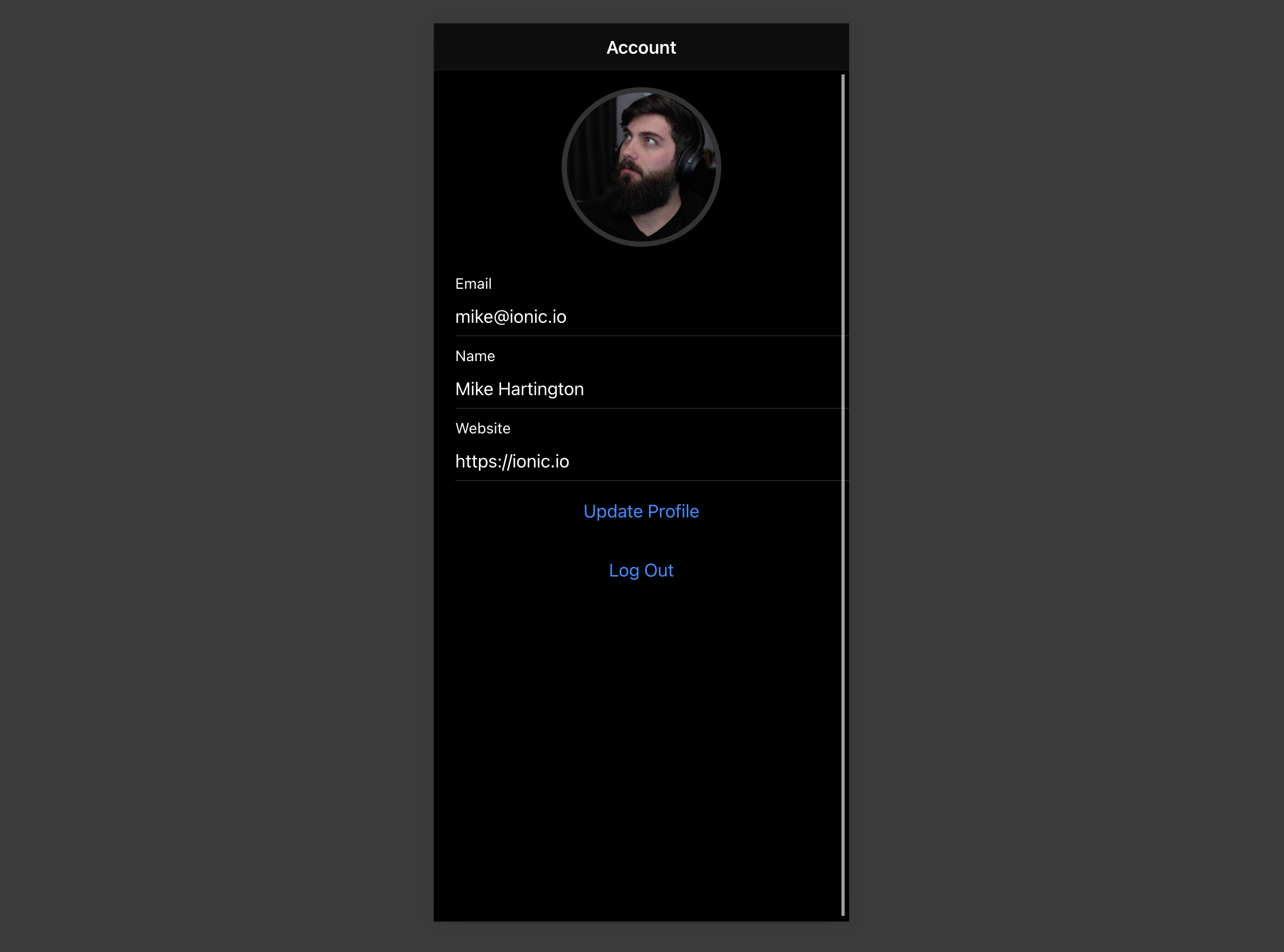
Note
If you get stuck while working through this guide, refer to the full example on GitHub.
Project setup
Before you start building you need to set up the Database and API. You can do this by starting a new Project in Supabase and then creating a "schema" inside the database.
Create a project
- Create a new project in the Supabase Dashboard.
- Enter your project details.
- Wait for the new database to launch.
Set up the database schema
Now set up the database schema. You can use the "User Management Starter" quickstart in the SQL Editor, or you can copy/paste the SQL from below and run it.
DashboardSQL
- Go to the SQL Editor page in the Dashboard.
- Click User Management Starter under the Reference > Examples tab.
- Click Run.
Note
You can pull the database schema down to your local project by running the db pull command. Read the local development docs for detailed instructions.
supabase link --project-ref <project-id>
# You can get <project-id> from your project's dashboard URL: https://supabase.com/dashboard/project/<project-id>
supabase db pull
Note
When working locally you can run the following command to create a new migration file:
supabase migration new user_management_starter-- Create a table for public profiles
create table profiles (
id uuid references auth.users not null primary key,
updated_at timestamp with time zone,
username text unique,
full_name text,
avatar_url text,
website text,
constraint username_length check (char_length(username) >= 3)
);
-- Grant the privileges roles need
GRANT SELECT ON public.profiles TO anon;
GRANT SELECT, INSERT, UPDATE ON public.profiles TO authenticated;
-- Set up Row Level Security (RLS)
-- See https://supabase.com/docs/guides/database/postgres/row-level-security for more details.
alter table profiles
enable row level security;
create policy "Public profiles are viewable by everyone." on profiles
for select using (true);
create policy "Users can insert their own profile." on profiles
for insert with check ((select auth.uid()) = id);
create policy "Users can update own profile." on profiles
for update using ((select auth.uid()) = id);
-- This trigger automatically creates a profile entry when a new user signs up via Supabase Auth.
-- See https://supabase.com/docs/guides/auth/managing-user-data#using-triggers for more details.
create function public.handle_new_user()
returns trigger
set search_path = ''
as $$
begin
insert into public.profiles (id, full_name, avatar_url)
values (new.id, new.raw_user_meta_data->>'full_name', new.raw_user_meta_data->>'avatar_url');
return new;
end;
$$ language plpgsql security definer;
create trigger on_auth_user_created
after insert on auth.users
for each row execute procedure public.handle_new_user();
-- Set up Storage!
insert into storage.buckets (id, name)
values ('avatars', 'avatars');
-- Set up access controls for storage. Allows downloading object with public key
-- See https://supabase.com/docs/guides/storage/security/access-control#policy-examples for more details.
create policy "Avatar images are publicly accessible." on storage.objects
for select using (bucket_id = 'avatars' and storage.allow_any_operation(array['object.get_authenticated_info', 'object.get_authenticated']));
create policy "Anyone can upload an avatar." on storage.objects
for insert with check (bucket_id = 'avatars');
create policy "Anyone can update their own avatar." on storage.objects
for update using ((select auth.uid()) = owner) with check (bucket_id = 'avatars');Get API details
To interact with data in database tables, you use the client libraries that wrap the auto-generated Data API endpoints, authenticating using the Project URL and key from the project Connect dialog.
Project URL: https://<project-ref>.supabase.co (find yours in the dashboard)
Publishable key: sb_publishable_... (find yours in the dashboard)
Note
See API keys for a full explanation of all key types, their uses, and where to find them.
Building the app
Start building the React app from scratch.
Initialize an Ionic React app
Use the Ionic CLI to initialize
an app called supabase-ionic-react:
npm install -g @ionic/cli
ionic start supabase-ionic-react blank --type react
cd supabase-ionic-react
Install the only additional dependency: supabase-js
npm install @supabase/supabase-jsSave the environment variables in a .env. You need the API URL and the key that you copied earlier.
.env
VITE_SUPABASE_URL=YOUR_SUPABASE_URL
VITE_SUPABASE_KEY=YOUR_SUPABASE_KEY
With the API credentials in place, create a helper file to initialize the Supabase client. These variables will be exposed
in the browser, which is safe because they use a restricted publishable key and the SQL quickstart enables Row Level Security on the profiles table.
import { createClient } from '@supabase/supabase-js'

const supabaseUrl = import.meta.env.VITE_SUPABASE_URL
const supabasePublishableKey = import.meta.env.VITE_SUPABASE_PUBLISHABLE_KEY

if (!supabaseUrl || !supabasePublishableKey) {
  throw new Error(
    'Missing Supabase environment variables: VITE_SUPABASE_URL and VITE_SUPABASE_PUBLISHABLE_KEY must be set.'
  )
}

export const supabase = createClient(supabaseUrl, supabasePublishableKey)
Set up a sign-in route
Set up a React component to manage sign-ins and sign-ups which uses Magic Links, so users can sign in with their email without using passwords.
import { useState } from 'react'
import type React from 'react'
import {
  IonButton,
  IonContent,
  IonHeader,
  IonInput,
  IonItem,
  IonList,
  IonPage,
  IonTitle,
  IonToolbar,
  useIonToast,
  useIonLoading,
} from '@ionic/react'
import { supabase } from '../supabaseClient'

export function LoginPage() {
  const [email, setEmail] = useState('')

  const [showLoading, hideLoading] = useIonLoading()
  const [showToast] = useIonToast()
  const handleLogin = async (e: React.FormEvent<HTMLFormElement>) => {
    e.preventDefault()
    await showLoading()
    try {
      const { error } = await supabase.auth.signInWithOtp({ email })
      if (error) throw error
      await showToast({ message: 'Check your email for the login link!' })
    } catch (e: any) {
      await showToast({ message: e.error_description || e.message, duration: 5000 })
    } finally {
      await hideLoading()
    }
  }
  return (
    <IonPage>
      <IonHeader>
        <IonToolbar>
          <IonTitle>Login</IonTitle>
        </IonToolbar>
      </IonHeader>

      <IonContent>
        <div className="ion-padding">
          <h1>Supabase + Ionic React</h1>
          <p>Sign in via magic link with your email below</p>
        </div>
        <IonList inset={true}>
          <form onSubmit={handleLogin}>
            <IonItem>
              <IonInput
                value={email}
                name="email"
                onIonInput={(e) => setEmail(e.detail.value ?? '')}
                type="email"
                label="Email"
                labelPlacement="stacked"
              ></IonInput>
            </IonItem>
            <div className="ion-text-center">
              <IonButton type="submit" fill="clear">
                Login
              </IonButton>
            </div>
          </form>
        </IonList>
      </IonContent>
    </IonPage>
  )
}
Account page
After a user signs in, they should be able to edit their profile details and manage their account.
Create a new component for that called Account.tsx.
import {
  IonButton,
  IonContent,
  IonHeader,
  IonInput,
  IonItem,
  IonLabel,
  IonPage,
  IonTitle,
  IonToolbar,
  useIonLoading,
  useIonToast,
  useIonRouter,
} from '@ionic/react'
import { useEffect, useState } from 'react'

// ...

import { supabase } from '../supabaseClient'

export function AccountPage() {
  const [showLoading, hideLoading] = useIonLoading()
  const [showToast] = useIonToast()
  const router = useIonRouter()
  const [email, setEmail] = useState('')
  const [profile, setProfile] = useState({
    username: '',
    website: '',
    avatar_url: '',
  })

  useEffect(() => {
    getProfile()
  }, [])

  const getProfile = async () => {
    await showLoading()
    try {
      const { data: authData } = await supabase.auth.getClaims()
      if (!authData?.claims) throw new Error('No user logged in')
      const { claims } = authData

      setEmail(claims.email as string)

      const { data, error, status } = await supabase
        .from('profiles')
        .select(`username, website, avatar_url`)
        .eq('id', claims.sub)
        .single()

      if (error && status !== 406) {
        throw error
      }

      if (data) {
        setProfile({
          username: data.username,
          website: data.website,
          avatar_url: data.avatar_url,
        })
      }
    } catch (error: any) {
      showToast({ message: error.message, duration: 5000 })
    } finally {
      await hideLoading()
    }
  }

  const signOut = async () => {
    await supabase.auth.signOut()
    router.push('/', 'forward', 'replace')
  }

  const updateProfile = async (e?: any, avatar_url?: string) => {
    e?.preventDefault()

    await showLoading()

    try {
      const { data } = await supabase.auth.getClaims()
      if (!data?.claims) throw new Error('No user logged in')
      const { claims } = data

      const updates = {
        id: claims.sub,
        ...profile,
        ...(avatar_url !== undefined ? { avatar_url } : {}),
        updated_at: new Date(),
      }

      const { error } = await supabase.from('profiles').upsert(updates)

      if (error) {
        throw error
      }

      // Ensure local profile state reflects the updated avatar URL
      if (avatar_url !== undefined) {
        setProfile((prev) => ({
          ...prev,
          avatar_url,
        }))
      }

      if (avatar_url !== undefined) {
        setProfile((current) => ({
          ...current,
          avatar_url,
        }))
      }
    } catch (error: any) {
      showToast({ message: error.message, duration: 5000 })
    } finally {
      await hideLoading()
    }
  }

  return (
    <IonPage>
      <IonHeader>
        <IonToolbar>
          <IonTitle>Account</IonTitle>
        </IonToolbar>
      </IonHeader>

      <IonContent>

        // ...

        <form onSubmit={updateProfile}>
          <IonItem>
            <IonLabel>
              <p>Email</p>
              <p>{email}</p>
            </IonLabel>
          </IonItem>

          <IonItem>
            <IonInput
              type="text"
              name="username"
              value={profile.username}
              onIonInput={(e) => setProfile({ ...profile, username: e.detail.value ?? '' })}
              label="Name"
              labelPlacement="stacked"
            ></IonInput>
          </IonItem>

          <IonItem>
            <IonInput
              type="url"
              name="website"
              value={profile.website}
              onIonInput={(e) => setProfile({ ...profile, website: e.detail.value ?? '' })}
              label="Website"
              labelPlacement="stacked"
            ></IonInput>
          </IonItem>
          <div className="ion-text-center">
            <IonButton fill="clear" type="submit">
              Update Profile
            </IonButton>
          </div>
        </form>

        <div className="ion-text-center">
          <IonButton fill="clear" onClick={signOut}>
            Log Out
          </IonButton>
        </div>
      </IonContent>
    </IonPage>
  )
}
Launch!
Now that you have all the components in place, update App.tsx:
import { Redirect, Route } from 'react-router-dom'
import { IonApp, IonRouterOutlet, setupIonicReact } from '@ionic/react'
import { IonReactRouter } from '@ionic/react-router'
import { supabase } from './supabaseClient'

import '@ionic/react/css/ionic.bundle.css'

/* Theme variables */
import './theme/variables.css'
import { LoginPage } from './pages/Login'
import { AccountPage } from './pages/Account'
import { useEffect, useState } from 'react'
import type { FC } from 'react'

setupIonicReact()

const App: FC = () => {
  const [claims, setClaims] = useState<any>(null)

  useEffect(() => {
    supabase.auth.getClaims().then(({ data }) => {
      if (data) {
        setClaims(data.claims)
      }
    })

    const {
      data: { subscription },
    } = supabase.auth.onAuthStateChange(() => {
      supabase.auth.getClaims().then(({ data }) => {
        if (data) {
          setClaims(data.claims)
        }
      })
    })

    return () => subscription.unsubscribe()
  }, [])

  return (
    <IonApp>
      <IonReactRouter>
        <IonRouterOutlet>
          <Route
            exact
            path="/"
            render={() => {
              return claims ? <Redirect to="/account" /> : <LoginPage />
            }}
          />
          <Route
            exact
            path="/account"
            render={() => (claims ? <AccountPage /> : <Redirect to="/" />)}
          />
        </IonRouterOutlet>
      </IonReactRouter>
    </IonApp>
  )
}

export default App
Once that's done, run this in a terminal window:
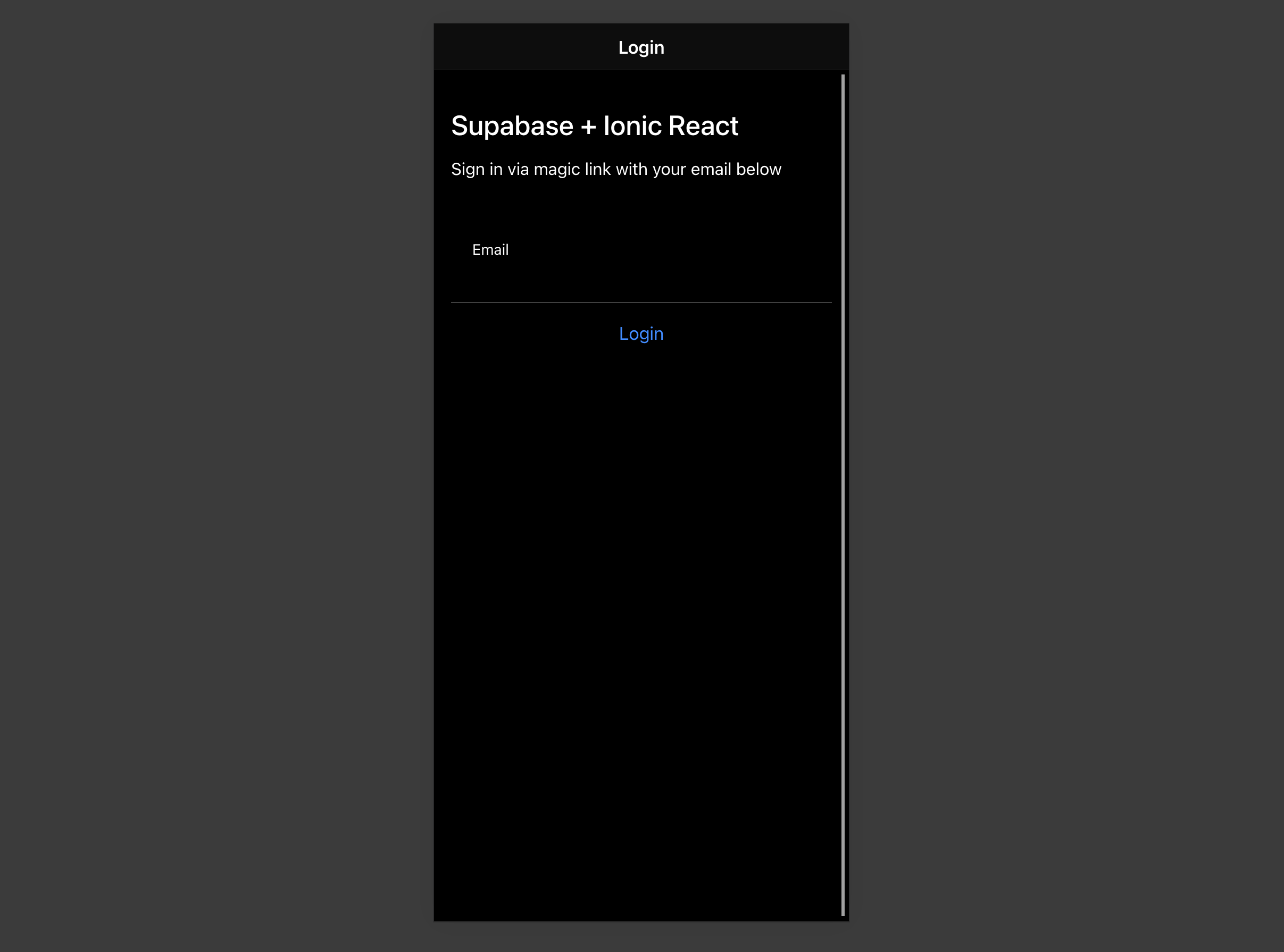
ionic serveThen open your browser to the URL printed by ionic serve (by default, http://localhost:8100) and you should see the completed app.
Bonus: Profile photos
Every Supabase project is configured with Storage for managing large files like photos and videos.
Create an upload widget
First install two packages in order to interact with the user's camera.
npm install @ionic/pwa-elements @capacitor/cameraCapacitor is a cross platform native runtime from Ionic that enables web apps to be deployed through the app store and provides access to native device API.
Ionic PWA elements is a companion package that will polyfill certain browser APIs that provide no user interface with custom Ionic UI.
With those packages installed update index.tsx to include an additional bootstrapping call for the Ionic PWA Elements.
import React from 'react'
import { createRoot } from 'react-dom/client'
import App from './App'
import { defineCustomElements } from '@ionic/pwa-elements/loader'

defineCustomElements(window)

const container = document.getElementById('root')
const root = createRoot(container!)
root.render(
  <React.StrictMode>
    <App />
  </React.StrictMode>
)
Then create an AvatarComponent.
import { IonIcon } from '@ionic/react'
import { person } from 'ionicons/icons'
import { Camera, CameraResultType } from '@capacitor/camera'
import { useEffect, useState } from 'react'
import { supabase } from '../supabaseClient'
import './Avatar.css'

export function Avatar({
  url,
  onUpload,
}: {
  url: string
  onUpload: (file: string) => Promise<void>
}) {
  const [avatarUrl, setAvatarUrl] = useState<string | undefined>()

  useEffect(() => {
    if (url) {
      downloadImage(url)
    }
  }, [url])

  const uploadAvatar = async () => {
    try {
      const photo = await Camera.getPhoto({
        resultType: CameraResultType.DataUrl,
      })

      const file = await fetch(photo.dataUrl!)
        .then((res) => res.blob())
        .then((blob) => new File([blob], 'my-file', { type: `image/${photo.format}` }))

      const fileName = `${Math.random()}-${new Date().getTime()}.${photo.format}`
      const { error: uploadError } = await supabase.storage.from('avatars').upload(fileName, file)
      if (uploadError) {
        throw uploadError
      }
      await onUpload(fileName)
    } catch (error) {
      console.log(error)
    }
  }

  const downloadImage = async (path: string) => {
    try {
      const { data, error } = await supabase.storage.from('avatars').download(path)
      if (error) {
        throw error
      }
      const url = URL.createObjectURL(data)
      setAvatarUrl(url)
    } catch (error: any) {
      console.log('Error downloading image: ', error.message)
    }
  }

  useEffect(() => {
    return () => {
      if (avatarUrl) {
        URL.revokeObjectURL(avatarUrl)
      }
    }
  }, [avatarUrl])

  return (
    <div className="avatar">
      <button type="button" className="avatar_wrapper" onClick={uploadAvatar}>
        {avatarUrl ? (
          <img src={avatarUrl} alt="User avatar" />
        ) : (
          <IonIcon icon={person} className="no-avatar" />
        )}
      </button>
    </div>
  )
}
Add the new widget
And then add the widget to the Account page:
import {
  IonButton,
  IonContent,
  IonHeader,
  IonInput,
  IonItem,
  IonLabel,
  IonPage,
  IonTitle,
  IonToolbar,
  useIonLoading,
  useIonToast,
  useIonRouter,
} from '@ionic/react'
import { useEffect, useState } from 'react'
import { Avatar } from '../components/Avatar'
import { supabase } from '../supabaseClient'

export function AccountPage() {
  const [showLoading, hideLoading] = useIonLoading()
  const [showToast] = useIonToast()
  const router = useIonRouter()
  const [email, setEmail] = useState('')
  const [profile, setProfile] = useState({
    username: '',
    website: '',
    avatar_url: '',
  })

  useEffect(() => {
    getProfile()
  }, [])

  const getProfile = async () => {
    await showLoading()
    try {
      const { data: authData } = await supabase.auth.getClaims()
      if (!authData?.claims) throw new Error('No user logged in')
      const { claims } = authData

      setEmail(claims.email as string)

      const { data, error, status } = await supabase
        .from('profiles')
        .select(`username, website, avatar_url`)
        .eq('id', claims.sub)
        .single()

      if (error && status !== 406) {
        throw error
      }

      if (data) {
        setProfile({
          username: data.username,
          website: data.website,
          avatar_url: data.avatar_url,
        })
      }
    } catch (error: any) {
      showToast({ message: error.message, duration: 5000 })
    } finally {
      await hideLoading()
    }
  }

  const signOut = async () => {
    await supabase.auth.signOut()
    router.push('/', 'forward', 'replace')
  }

  const updateProfile = async (e?: any, avatar_url?: string) => {
    e?.preventDefault()

    await showLoading()

    try {
      const { data } = await supabase.auth.getClaims()
      if (!data?.claims) throw new Error('No user logged in')
      const { claims } = data

      const updates = {
        id: claims.sub,
        ...profile,
        ...(avatar_url !== undefined ? { avatar_url } : {}),
        updated_at: new Date(),
      }

      const { error } = await supabase.from('profiles').upsert(updates)

      if (error) {
        throw error
      }

      // Ensure local profile state reflects the updated avatar URL
      if (avatar_url !== undefined) {
        setProfile((prev) => ({
          ...prev,
          avatar_url,
        }))
      }

      if (avatar_url !== undefined) {
        setProfile((current) => ({
          ...current,
          avatar_url,
        }))
      }
    } catch (error: any) {
      showToast({ message: error.message, duration: 5000 })
    } finally {
      await hideLoading()
    }
  }

  return (
    <IonPage>
      <IonHeader>
        <IonToolbar>
          <IonTitle>Account</IonTitle>
        </IonToolbar>
      </IonHeader>

      <IonContent>
        <Avatar
          url={profile.avatar_url}
          onUpload={(fileName) => updateProfile(undefined, fileName)}
        ></Avatar>
        <form onSubmit={updateProfile}>
          <IonItem>
            <IonLabel>
              <p>Email</p>
              <p>{email}</p>
            </IonLabel>
          </IonItem>

          <IonItem>
            <IonInput
              type="text"
              name="username"
              value={profile.username}
              onIonInput={(e) => setProfile({ ...profile, username: e.detail.value ?? '' })}
              label="Name"
              labelPlacement="stacked"
            ></IonInput>
          </IonItem>

          <IonItem>
            <IonInput
              type="url"
              name="website"
              value={profile.website}
              onIonInput={(e) => setProfile({ ...profile, website: e.detail.value ?? '' })}
              label="Website"
              labelPlacement="stacked"
            ></IonInput>
          </IonItem>
          <div className="ion-text-center">
            <IonButton fill="clear" type="submit">
              Update Profile
            </IonButton>
          </div>
        </form>

        <div className="ion-text-center">
          <IonButton fill="clear" onClick={signOut}>
            Log Out
          </IonButton>
        </div>
      </IonContent>
    </IonPage>
  )
}
At this stage you have a fully functional application!