本页还没有译文
本页 28 段还没译成简体中文,下面显示的是英文原文。Hono Stacks
还没翻译译自英文(hono.dev)本页 28 段都还没译
模型写的
背景缺口主张方法结果分析局限
Hono Stacks
Hono 适合全栈应用,不只是返回 JSON
Hono makes easy things easy and hard things easy. It is suitable for not just only returning JSON, but it's also great for building the full-stack application including REST API servers and the client.Hono makes easy things easy and hard things easy. It is suitable for not just only returning JSON, but it's also great for building the full-stack application including REST API servers and the client.Hono 适合全栈应用,不只是返回 JSON 它涵盖 REST API 服务器和客户端,而不只是返回 JSONHono 适合全栈应用,不只是返回 JSON全栈应用
RPC
RPC 共享 API 规范,hc 生成类型安全客户端
Hono's RPC feature allows you to share API specs with little change to your code.
The client generated by hc will read the spec and access the endpoint type-safety.Hono's RPC feature allows you to share API specs with little change to your code. The client generated by hc will read the spec and access the endpoint type-safety.RPC 共享 API 规范,hc 生成类型安全客户端 hc 客户端读取该规范,使端点访问具备类型安全RPC 共享 API 规范,hc 生成类型安全客户端API 规范
The following libraries make it possible.
- Hono - API Server
- Zod - Validator
- Zod Validator Middleware
hc- HTTP Client
We can call the set of these components the Hono Stack. Now let's create an API server and a client with it.We can call the set of these components the Hono Stack. Now let's create an API server and a client with it.这些组件合称 Hono Stack 页面随后用它们构建 API 服务器和客户端这些组件合称 Hono StackHono Stack
Writing API
先写一个返回 JSON 的 GET 端点
First, write an endpoint that receives a GET request and returns JSON.First, write an endpoint that receives a GET request and returns JSON.先写一个返回 JSON 的 GET 端点 该端点成为客户端之后调用的服务端部分先写一个返回 JSON 的 GET 端点GET 端点
import { Hono } from 'hono'

const app = new Hono()

app.get('/hello', (c) => {
  return c.json({
    message: `Hello!`,
  })
})
Validation with Zod
Zod 校验端点中的查询参数值
Validate with Zod to receive the value of the query parameter.Validate with Zod to receive the value of the query parameter.Zod 校验端点中的查询参数值 zValidator 将校验后的 name 传入处理器的 c.req.validZod 校验端点中的查询参数值查询参数
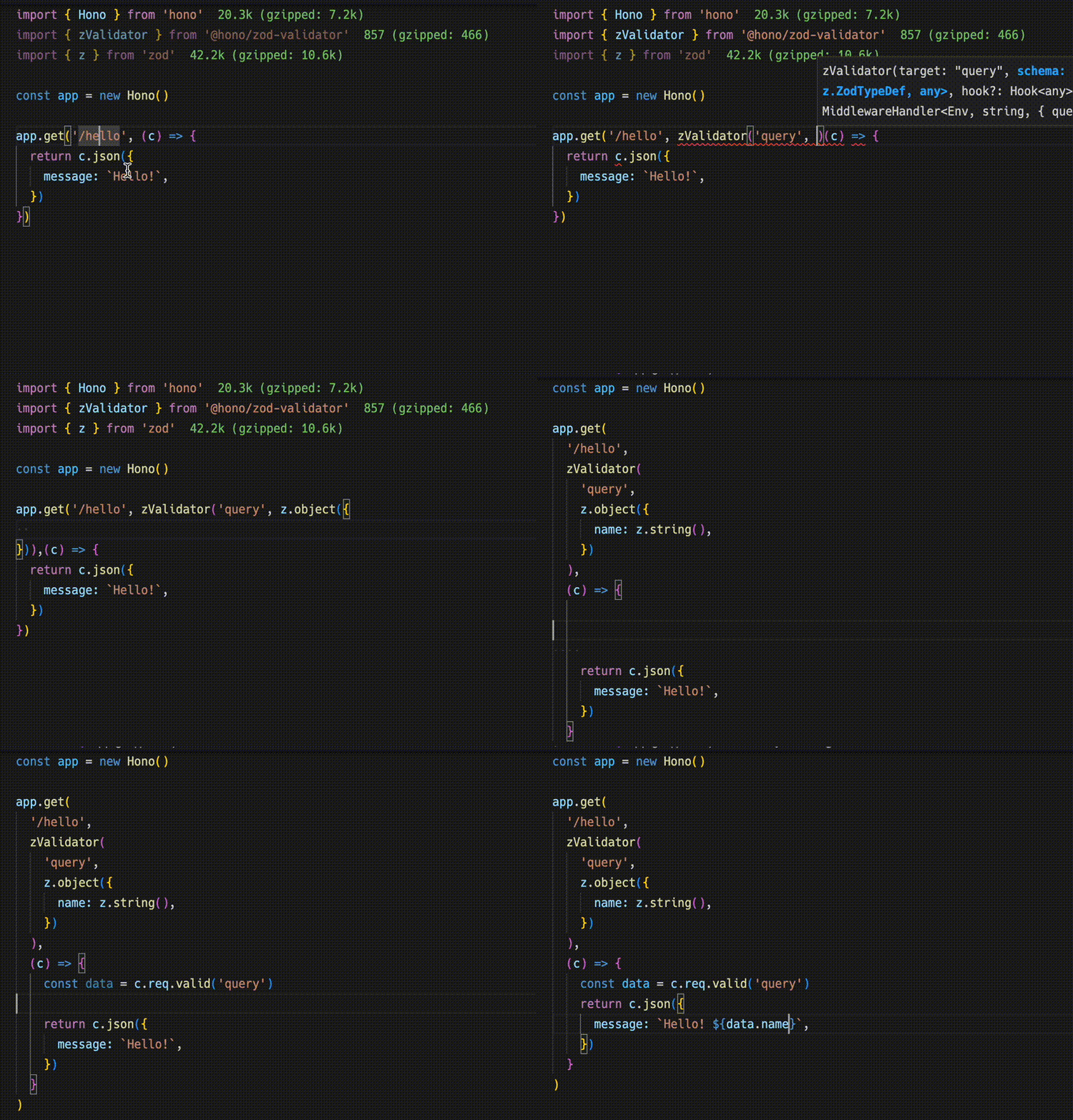
import { zValidator } from '@hono/zod-validator'
import * as z from 'zod'

app.get(
  '/hello',
  zValidator(
    'query',
    z.object({
      name: z.string(),
    })
  ),
  (c) => {
    const { name } = c.req.valid('query')
    return c.json({
      message: `Hello! ${name}`,
    })
  }
)
Sharing the Types
导出路由类型以生成端点规范
To emit an endpoint specification, export its type.To emit an endpoint specification, export its type.导出路由类型以生成端点规范 导出的 AppType 正是 hc 客户端用作泛型的类型导出路由类型以生成端点规范路由类型
Warning
For the RPC to infer routes correctly, all included methods must be chained, and the endpoint or app type must be inferred from a declared variable. For more, see Best Practices for RPC.For the RPC to infer routes correctly, all included methods must be chained, and the endpoint or app type must be inferred from a declared variable. For more, see Best Practices for RPC.RPC 需要链式方法和声明的变量类型 否则 RPC 无法正确推断路由RPC 需要链式方法和声明的变量类型链式方法
const route = app.get(
  '/hello',
  zValidator(
    'query',
    z.object({
      name: z.string(),
    })
  ),
  (c) => {
    const { name } = c.req.valid('query')
    return c.json({
      message: `Hello! ${name}`,
    })
  }
)

export type AppType = typeof route
Client
hc 配合 AppType 提供带类型的路径和响应
Next, The client-side implementation.
Create a client object by passing the AppType type to hc as generics.
Then, magically, completion works and the endpoint path and request type are suggested.Create a client object by passing the AppType type to hc as generics. Then, magically, completion works and the endpoint path and request type are suggested.hc 配合 AppType 提供带类型的路径和响应 把 AppType 作为泛型传入即可补全路径和请求类型hc 配合 AppType 提供带类型的路径和响应AppType
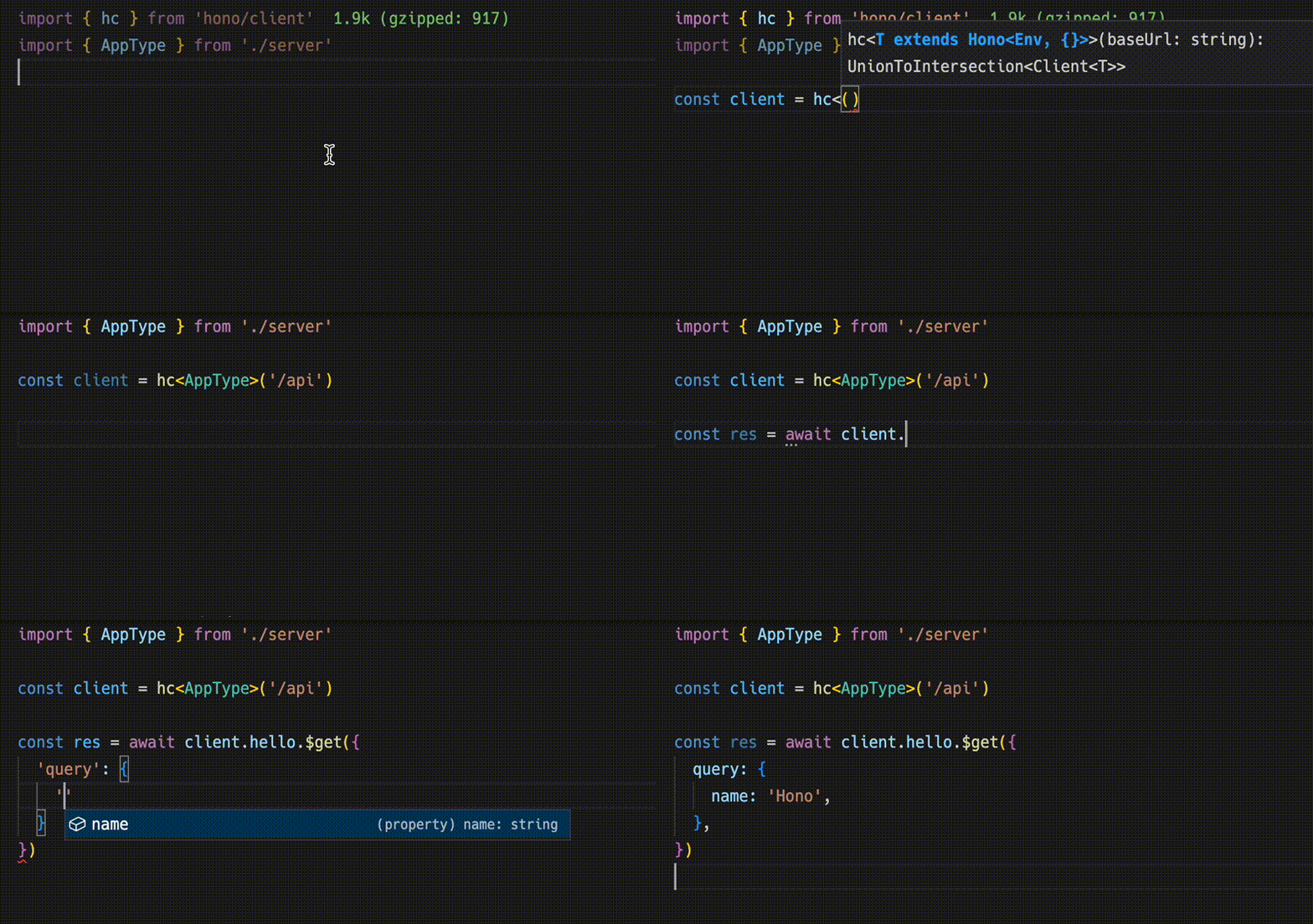
import type { AppType } from './server'
import { hc } from 'hono/client'

const client = hc<AppType>('/api')
const res = await client.hello.$get({
  query: {
    name: 'Hono',
  },
})
The Response is compatible with the fetch API, but the data that can be retrieved with json() has a type.The Response is compatible with the fetch API, but the data that can be retrieved with json() has a type.Response 兼容 fetch,但 json() 数据有类型 该类型来自共享的服务端规范Response 兼容 fetch,但 json() 数据有类型json() 数据
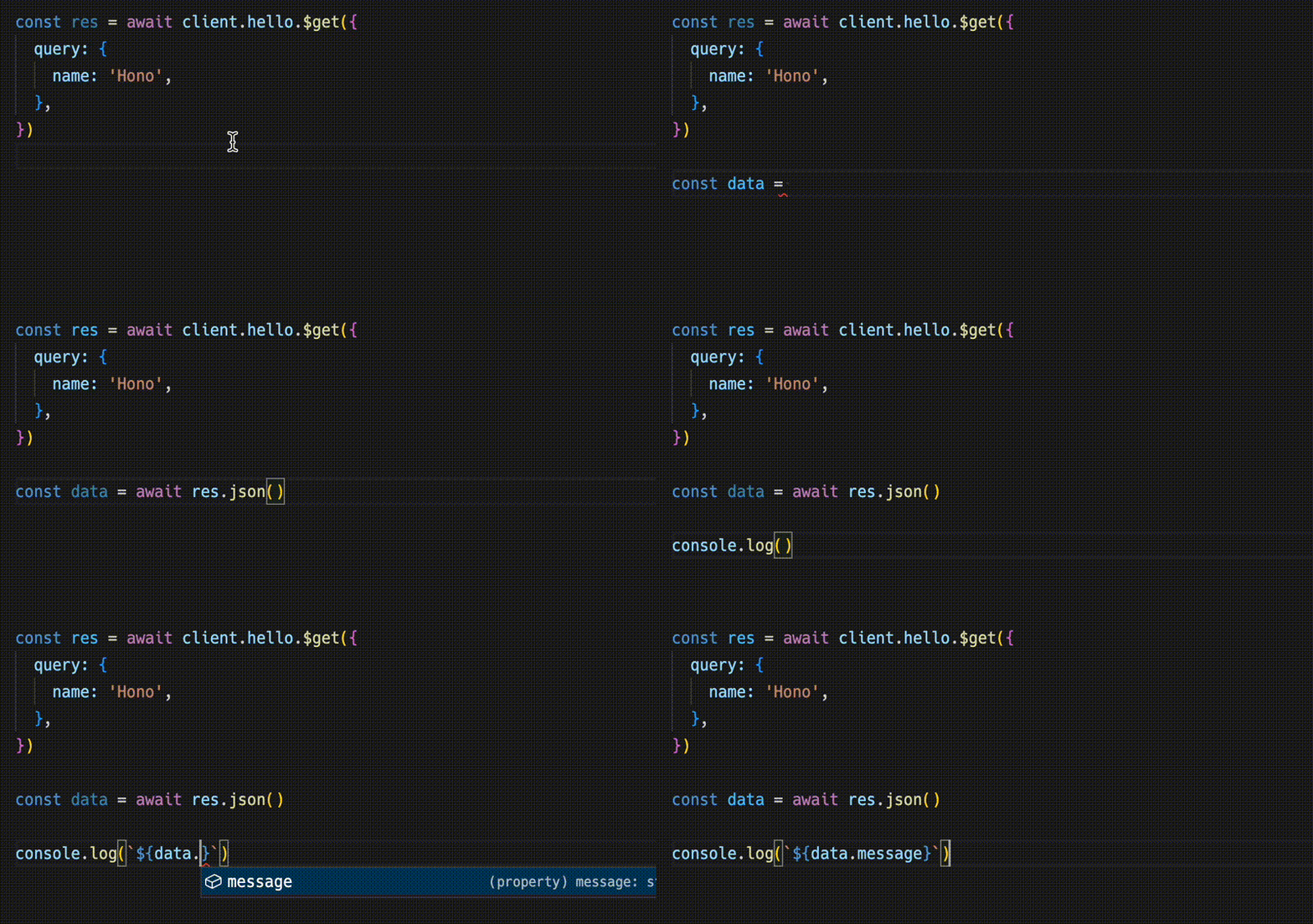
const data = await res.json()
console.log(`${data.message}`)
Sharing API specifications means that you can be aware of server-side changes.Sharing API specifications means that you can be aware of server-side changes.共享规范使服务端变更可见 客户端会反映更新的类型,而不是悄悄偏离共享规范使服务端变更可见服务端变更
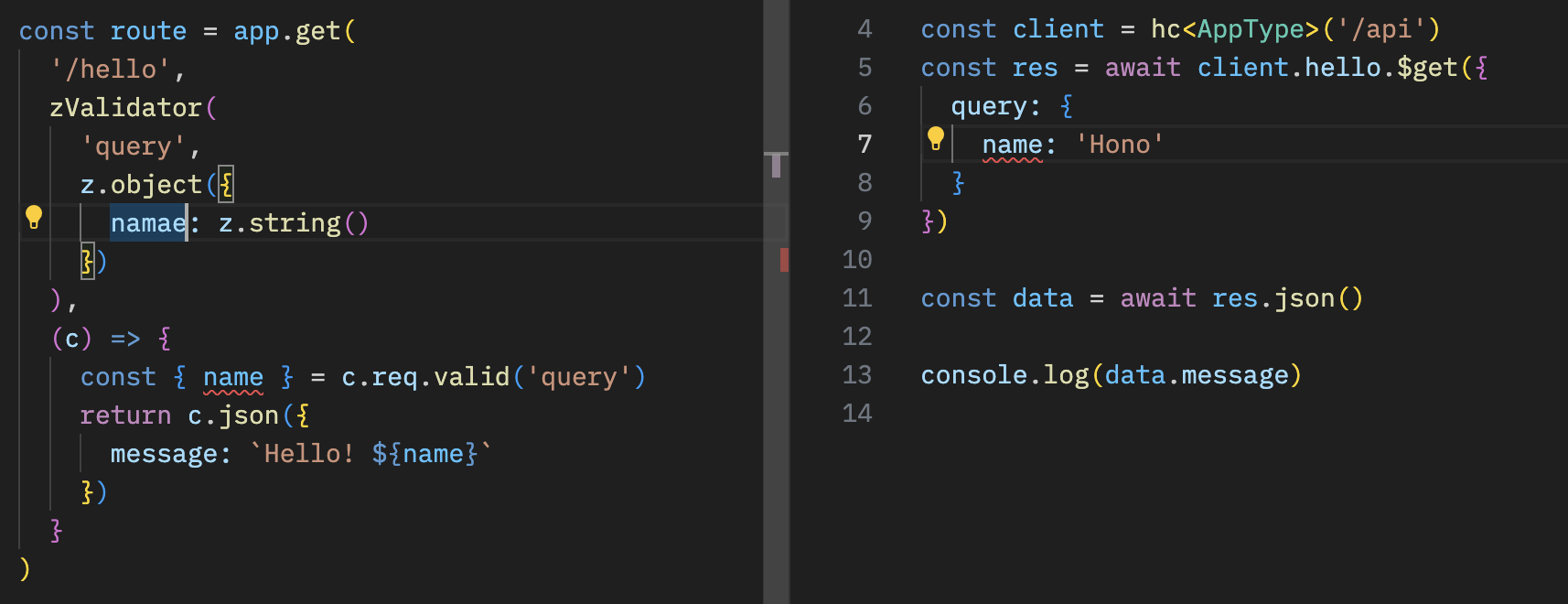
With React
React 与 React Query 在 Cloudflare Workers 上构建类型化应用
You can create applications on Cloudflare Workers using React.You can create applications on Cloudflare Workers using React.React 应用可运行在 Cloudflare Workers 上 这为后续完整示例做了铺垫React 应用可运行在 Cloudflare Workers 上Cloudflare Workers
The API server.
// src/index.ts
import { Hono } from 'hono'
import * as z from 'zod'
import { zValidator } from '@hono/zod-validator'

const schema = z.object({
  id: z.string(),
  title: z.string(),
})

type Todo = z.infer<typeof schema>

const todos: Todo[] = []

const api = new Hono()
  .post('/todo', zValidator('form', schema), (c) => {
    const todo = c.req.valid('form')
    todos.push(todo)
    return c.json({
      message: 'created!',
    })
  })
  .get('/todo', (c) => {
    return c.json({
      todos,
    })
  })

export type AppType = typeof api

const app = new Hono()
app.route('/api', api)

export default app
The client with React and React Query.
// src/App.tsx
import {
  useQuery,
  useMutation,
  QueryClient,
  QueryClientProvider,
} from '@tanstack/react-query'
import type { AppType } from '../functions/api/[[route]]'
import { hc, InferResponseType, InferRequestType } from 'hono/client'

const queryClient = new QueryClient()
const client = hc<AppType>('/api')

export default function App() {
  return (
    <QueryClientProvider client={queryClient}>
      <Todos />
    </QueryClientProvider>
  )
}

const Todos = () => {
  const query = useQuery({
    queryKey: ['todos'],
    queryFn: async () => {
      const res = await client.todo.$get()
      return await res.json()
    },
  })

  const $post = client.todo.$post

  const mutation = useMutation<
    InferResponseType<typeof $post>,
    Error,
    InferRequestType<typeof $post>['form']
  >({
    mutationFn: async (todo) => {
      const res = await $post({
        form: todo,
      })
      return await res.json()
    },
    onSuccess: async () => {
      queryClient.invalidateQueries({ queryKey: ['todos'] })
    },
    onError: (error) => {
      console.log(error)
    },
  })

  return (
    <div>
      <button
        onClick={() => {
          mutation.mutate({
            id: Date.now().toString(),
            title: 'Write code',
          })
        }}
      >
        Add Todo
      </button>

      <ul>
        {query.data?.todos.map((todo) => (
          <li key={todo.id}>{todo.title}</li>
        ))}
      </ul>
    </div>
  )
}