Hono Stacks
Key points (written by a model)
- The Hono Stack is Hono as API server, Zod as validator, Zod Validator Middleware, and hc as HTTP client, enabling type-safe RPC.
- Endpoints are validated with the zValidator middleware on the query, then values are read via c.req.valid('query').
- Exporting the chained route type as AppType emits the endpoint spec the client consumes.
- The hc client takes AppType as a generic and returns a fetch-compatible Response whose json() data is typed.
- A Hono API on Cloudflare Workers pairs with a React client using React Query and hc, with InferResponseType and InferRequestType typing the calls.
Model-written
contextgapclaimmethodresultanalysislimitation
Hono Stacks
Hono suits full-stack apps, not just JSON responses
Hono makes easy things easy and hard things easy. It is suitable for not just only returning JSON, but it's also great for building the full-stack application including REST API servers and the client.Hono makes easy things easy and hard things easy. It is suitable for not just only returning JSON, but it's also great for building the full-stack application including REST API servers and the client.Hono suits full-stack apps, not just JSON responses It covers REST API servers plus the client, beyond simply returning JSONHono suits full-stack apps, not just JSON responsesfull-stack apps
RPC
RPC shares API specs and gives typed clients via hc
Hono's RPC feature allows you to share API specs with little change to your code.
The client generated by hc will read the spec and access the endpoint type-safety.Hono's RPC feature allows you to share API specs with little change to your code. The client generated by hc will read the spec and access the endpoint type-safety.RPC shares API specs and gives typed clients via hc The hc client reads that spec so endpoint access is type-safeRPC shares API specs and gives typed clients via hcAPI specs
The following libraries make it possible.
- Hono - API Server
- Zod - Validator
- Zod Validator Middleware
hc- HTTP Client
We can call the set of these components the Hono Stack. Now let's create an API server and a client with it.We can call the set of these components the Hono Stack. Now let's create an API server and a client with it.These components together form the Hono Stack The page then builds an API server and client from themThese components together form the Hono StackHono Stack
Writing API
First write a GET endpoint returning JSON
First, write an endpoint that receives a GET request and returns JSON.First, write an endpoint that receives a GET request and returns JSON.First write a GET endpoint returning JSON This endpoint becomes the server side that the client later consumesFirst write a GET endpoint returning JSONGET endpoint
import { Hono } from 'hono'

const app = new Hono()

app.get('/hello', (c) => {
  return c.json({
    message: `Hello!`,
  })
})
Validation with Zod
Zod validates query parameter values in the endpoint
Validate with Zod to receive the value of the query parameter.Validate with Zod to receive the value of the query parameter.Zod validates query parameter values in the endpoint zValidator passes the validated name into c.req.valid for the handlerZod validates query parameter values in the endpointquery parameter
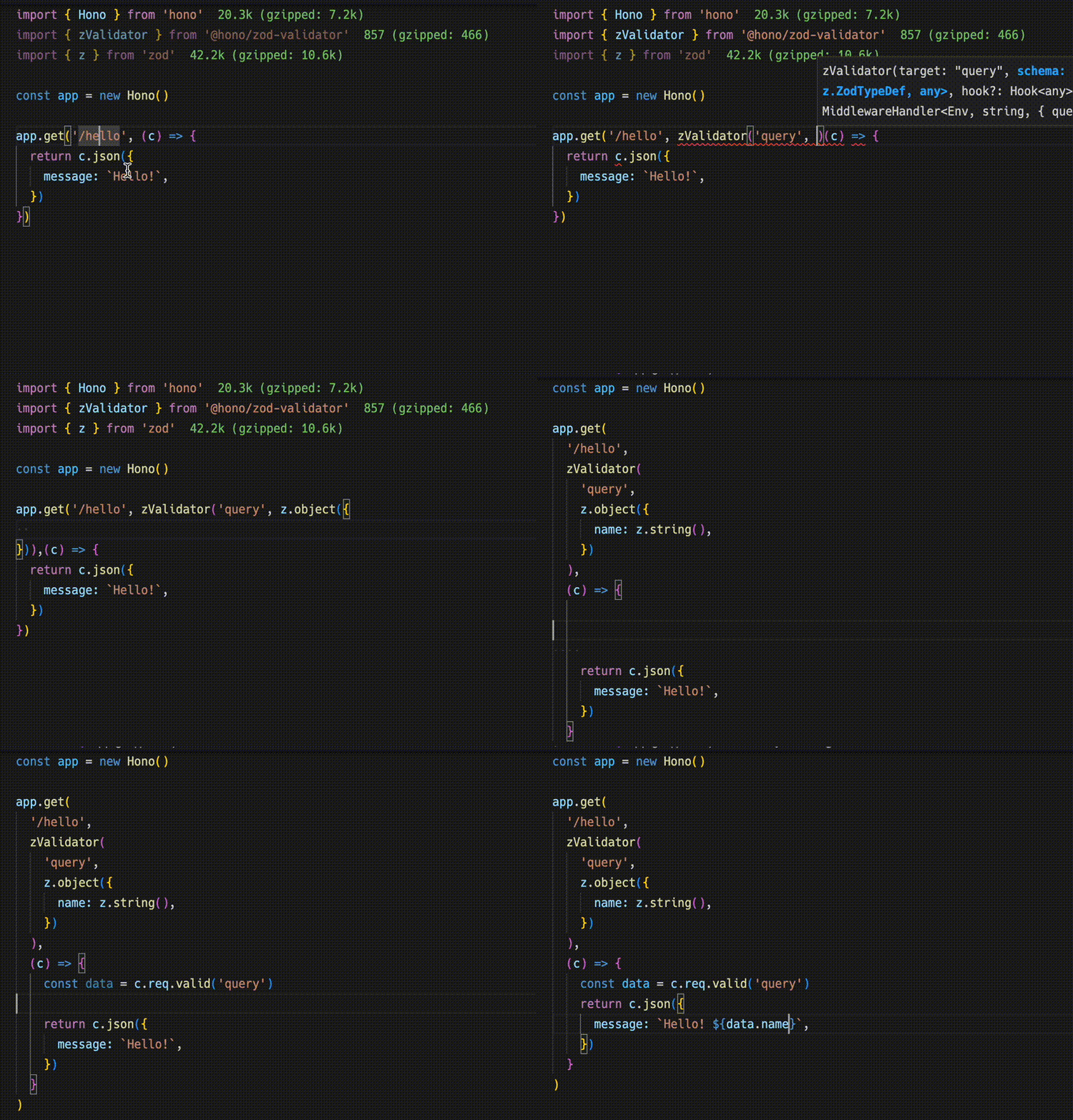
import { zValidator } from '@hono/zod-validator'
import * as z from 'zod'

app.get(
  '/hello',
  zValidator(
    'query',
    z.object({
      name: z.string(),
    })
  ),
  (c) => {
    const { name } = c.req.valid('query')
    return c.json({
      message: `Hello! ${name}`,
    })
  }
)
Sharing the Types
Export the route type to emit the endpoint spec
To emit an endpoint specification, export its type.To emit an endpoint specification, export its type.Export the route type to emit the endpoint spec The exported AppType is what the hc client consumes as its genericExport the route type to emit the endpoint specroute type
Warning
For the RPC to infer routes correctly, all included methods must be chained, and the endpoint or app type must be inferred from a declared variable. For more, see Best Practices for RPC.For the RPC to infer routes correctly, all included methods must be chained, and the endpoint or app type must be inferred from a declared variable. For more, see Best Practices for RPC.RPC needs chained methods and a declared variable type Otherwise the RPC cannot infer routes correctlyRPC needs chained methods and a declared variable typechained methods
const route = app.get(
  '/hello',
  zValidator(
    'query',
    z.object({
      name: z.string(),
    })
  ),
  (c) => {
    const { name } = c.req.valid('query')
    return c.json({
      message: `Hello! ${name}`,
    })
  }
)

export type AppType = typeof route
Client
hc with AppType gives typed paths and responses
Next, The client-side implementation.
Create a client object by passing the AppType type to hc as generics.
Then, magically, completion works and the endpoint path and request type are suggested.Create a client object by passing the AppType type to hc as generics. Then, magically, completion works and the endpoint path and request type are suggested.hc with AppType gives typed paths and responses Passing AppType as generics enables completion for path and request typehc with AppType gives typed paths and responsesAppType
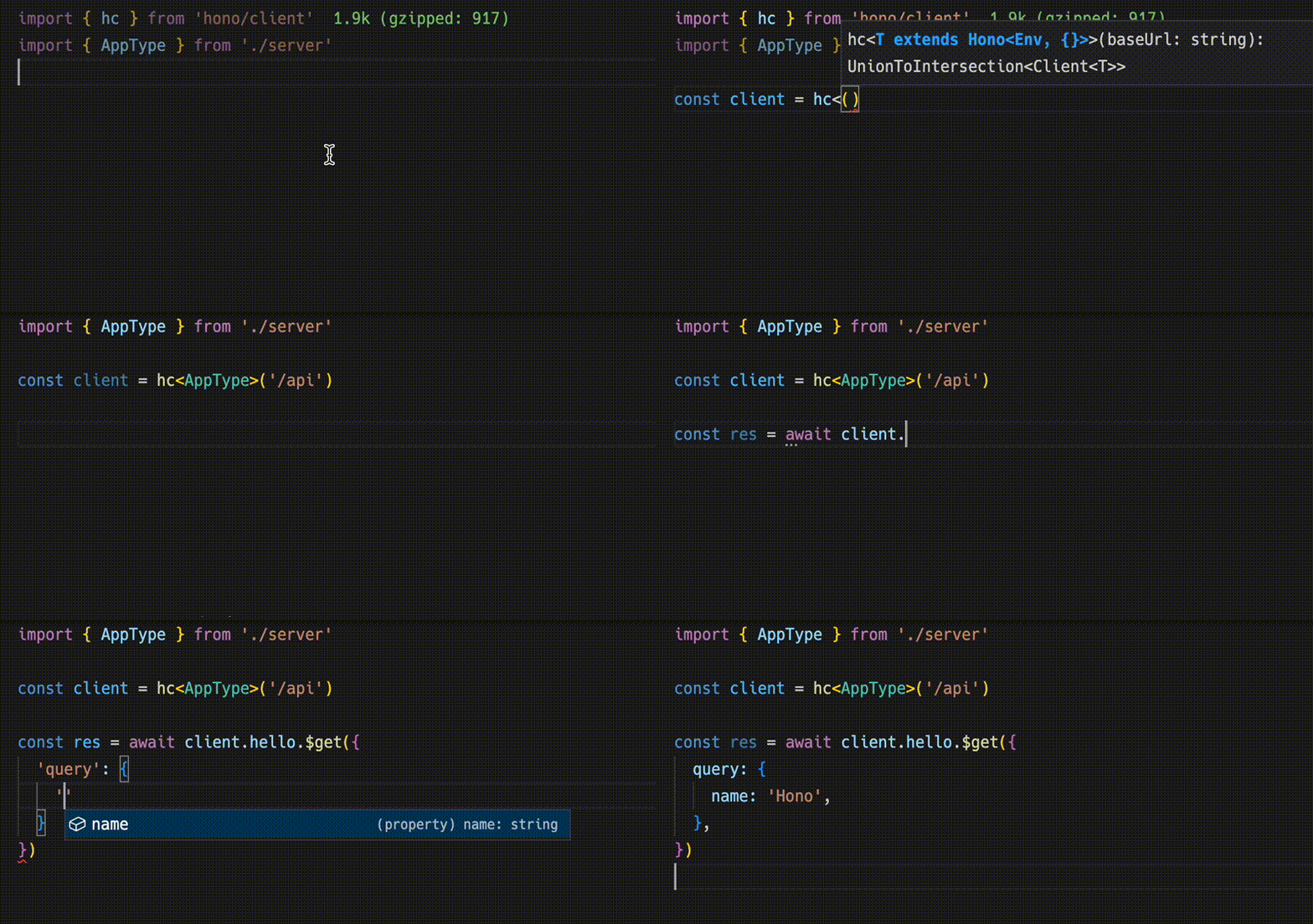
import type { AppType } from './server'
import { hc } from 'hono/client'

const client = hc<AppType>('/api')
const res = await client.hello.$get({
  query: {
    name: 'Hono',
  },
})
The Response is compatible with the fetch API, but the data that can be retrieved with json() has a type.The Response is compatible with the fetch API, but the data that can be retrieved with json() has a type.Response is fetch-compatible, but json() data is typed That typing comes from the shared server specificationResponse is fetch-compatible, but json() data is typedjson() data
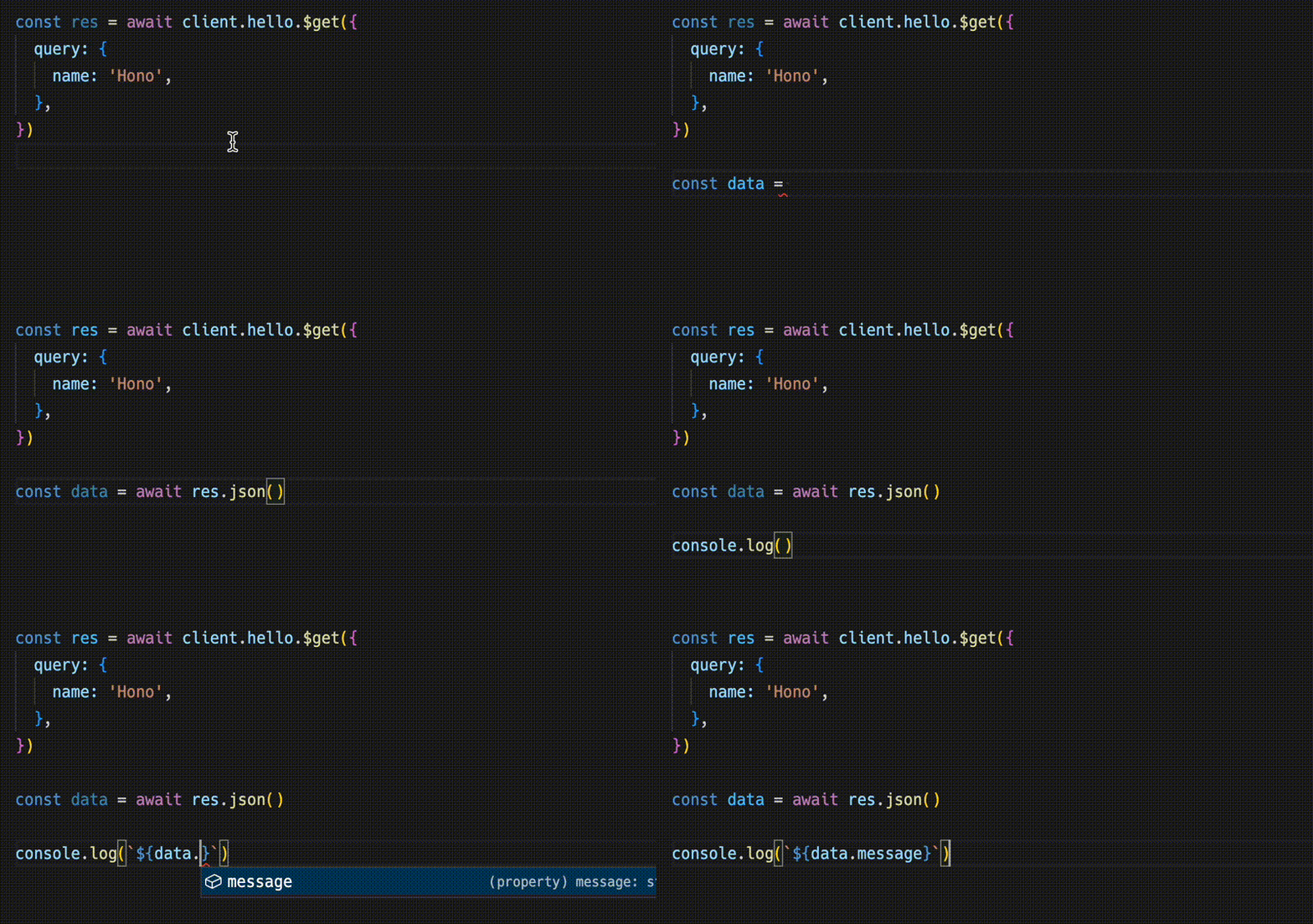
const data = await res.json()
console.log(`${data.message}`)
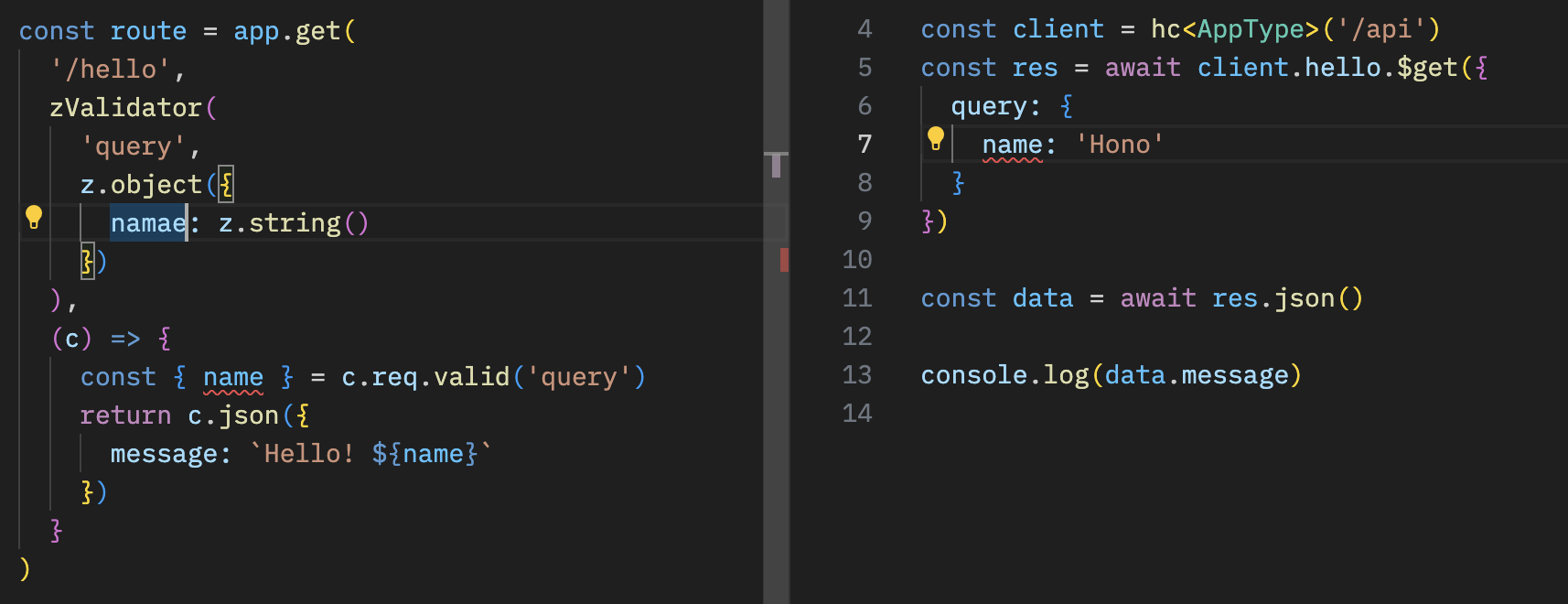
Sharing API specifications means that you can be aware of server-side changes.Sharing API specifications means that you can be aware of server-side changes.Sharing specs makes server-side changes visible The client reflects updated types instead of silently driftingSharing specs makes server-side changes visibleserver-side changes
With React
React and React Query build typed apps on Cloudflare Workers
You can create applications on Cloudflare Workers using React.You can create applications on Cloudflare Workers using React.React apps can run on Cloudflare Workers This sets up the full example that followsReact apps can run on Cloudflare WorkersCloudflare Workers
The API server.
// src/index.ts
import { Hono } from 'hono'
import * as z from 'zod'
import { zValidator } from '@hono/zod-validator'

const schema = z.object({
  id: z.string(),
  title: z.string(),
})

type Todo = z.infer<typeof schema>

const todos: Todo[] = []

const api = new Hono()
  .post('/todo', zValidator('form', schema), (c) => {
    const todo = c.req.valid('form')
    todos.push(todo)
    return c.json({
      message: 'created!',
    })
  })
  .get('/todo', (c) => {
    return c.json({
      todos,
    })
  })

export type AppType = typeof api

const app = new Hono()
app.route('/api', api)

export default app
The client with React and React Query.
// src/App.tsx
import {
  useQuery,
  useMutation,
  QueryClient,
  QueryClientProvider,
} from '@tanstack/react-query'
import type { AppType } from '../functions/api/[[route]]'
import { hc, InferResponseType, InferRequestType } from 'hono/client'

const queryClient = new QueryClient()
const client = hc<AppType>('/api')

export default function App() {
  return (
    <QueryClientProvider client={queryClient}>
      <Todos />
    </QueryClientProvider>
  )
}

const Todos = () => {
  const query = useQuery({
    queryKey: ['todos'],
    queryFn: async () => {
      const res = await client.todo.$get()
      return await res.json()
    },
  })

  const $post = client.todo.$post

  const mutation = useMutation<
    InferResponseType<typeof $post>,
    Error,
    InferRequestType<typeof $post>['form']
  >({
    mutationFn: async (todo) => {
      const res = await $post({
        form: todo,
      })
      return await res.json()
    },
    onSuccess: async () => {
      queryClient.invalidateQueries({ queryKey: ['todos'] })
    },
    onError: (error) => {
      console.log(error)
    },
  })

  return (
    <div>
      <button
        onClick={() => {
          mutation.mutate({
            id: Date.now().toString(),
            title: 'Write code',
          })
        }}
      >
        Add Todo
      </button>

      <ul>
        {query.data?.todos.map((todo) => (
          <li key={todo.id}>{todo.title}</li>
        ))}
      </ul>
    </div>
  )
}