本页还没有译文
本页 24 段还没译成Español,下面显示的是英文原文。TUI client
还没翻译译自英文(modelcontextprotocol.io)本页 24 段都还没译
The TUI is the Inspector's terminal interface, with the same interactive exploration of tools, resources, and prompts as the web client. Use it on a remote host over SSH, in a locked-down environment, or when you prefer to stay in the terminal.
npx @modelcontextprotocol/inspector --tui node build/index.js # with an ad-hoc stdio server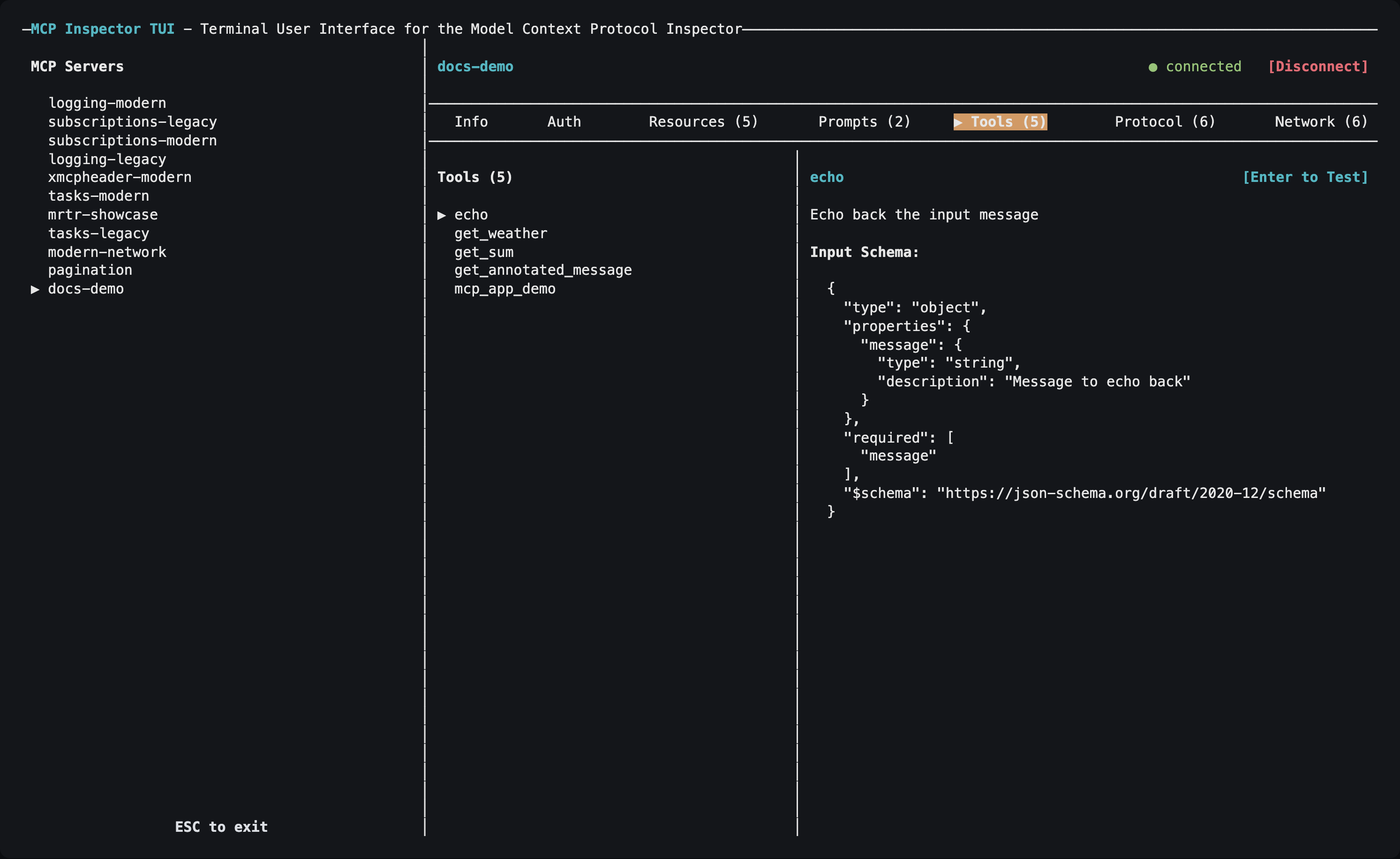
Choosing servers
Unlike the CLI, the TUI has no --server <name> flag for picking one entry: it reads its servers from a catalog or config file, loads every server in it, and lets you pick from an on-screen list:
mcp-inspector --tui --catalog mcp.json   # writable catalog, seeded empty if missing
mcp-inspector --tui --config mcp.json    # read-only session, errors if absent
With neither --catalog nor --config, and no ad-hoc target, it uses the default writable catalog ~/.mcp-inspector/mcp.json. See Configuration and flags.
The TUI also takes the shared server-selection flags (--server-url, --transport, --header, -e, --cwd) plus --protocol-era for an ad-hoc server, and the OAuth client flags (--client-id, --client-secret, --client-metadata-url, --client-config, --callback-url).
Tabs
| Tab | Key | What it shows |
|---|---|---|
| Info | i | Server configuration, name, version and instructions, plus the roots the client advertises (press e to edit them). |
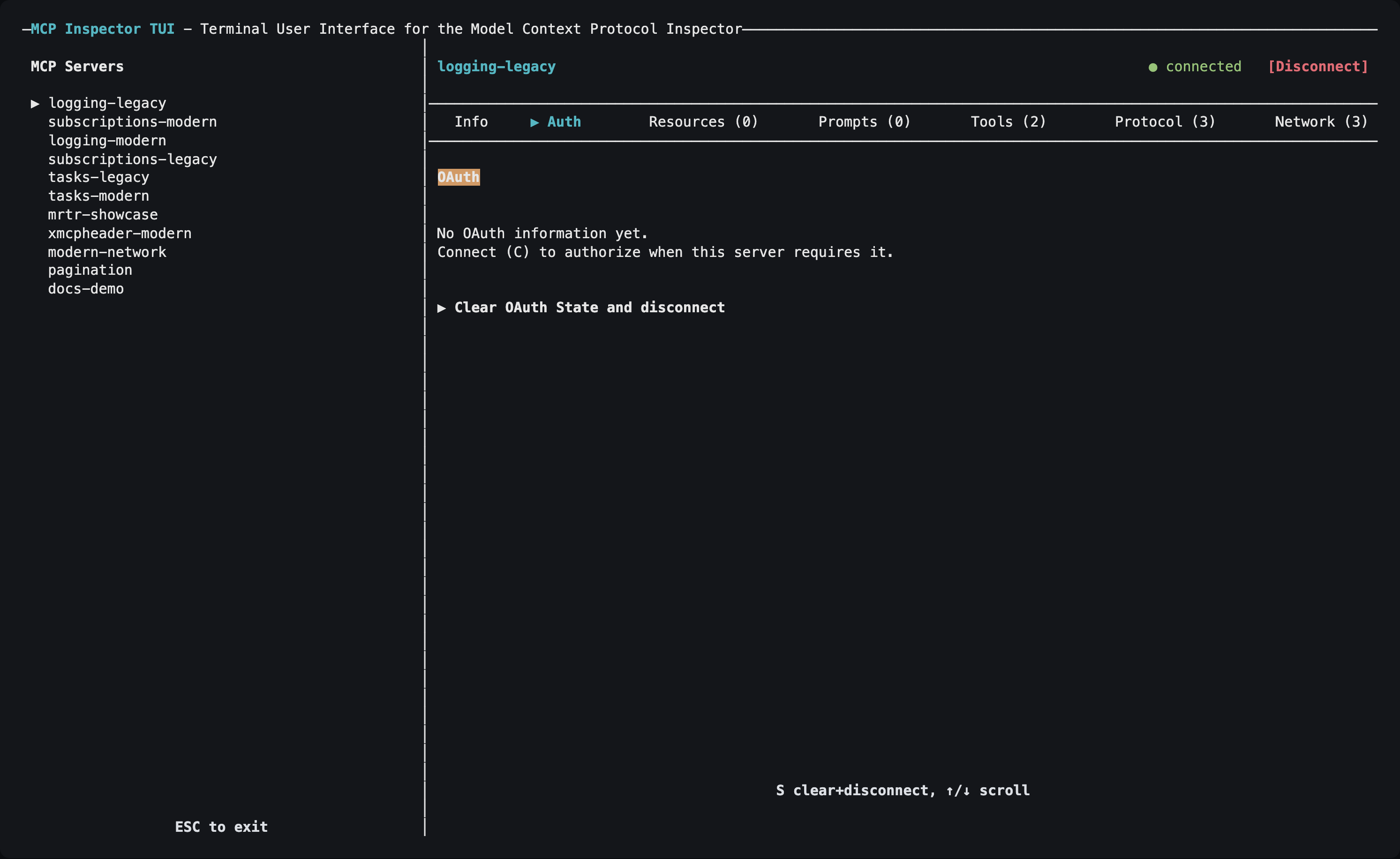
| Auth | a | OAuth state for the selected HTTP or SSE server, plus a Clear OAuth State action (s), which also disconnects a live connection. |
| Resources | r | Browse and read resources. |
| Subscriptions | u | Subscribe to and unsubscribe from resources (servers that support resource subscriptions). |
| Prompts | m | List prompts and render them with arguments. |
| Skills | k | List a server's skills and verify their digests and frontmatter (servers that declare the skills extension). |
| Tools | t | View tools and execute them with form-like inputs. |
| Tasks | s | List tasks, fetch their results, cancel them, and clear finished ones (servers that support Tasks). |
| Protocol | p | JSON-RPC request/response/notification history. |
| Network | n | HTTP traffic for SSE and Streamable HTTP servers. |
| Console | o | stderr from a connected stdio server process. |
The accelerators avoid collisions rather than always taking the first letter: Protocol takes p so Prompts takes m, and Console takes o because c is the global Connect action. Tasks takes s, its only free letter, so Subscriptions takes u and Skills takes k.
Auth, Network, and Console appear only for the transports they apply to; Subscriptions, Skills, and Tasks appear only once a connected server supports them.
Navigation
| Key | Action |
|---|---|
Tab / Shift+Tab | Move focus: server list → tab bar → list → details |
Left / Right arrows (tab bar focused), or a tab's letter | Switch tabs |
Up / Down arrows | Select a server, move through a list, or scroll details, depending on which pane has focus |
Enter | Select an item, execute a tool, or fetch a resource |
c | Connect to the selected server |
d | Disconnect |
/ | Filter the current list (Enter keeps the filter, Esc clears it) |
+ | Open the details pane full screen |
y / w | In a details dialog: copy the value, or save it to a file (w also saves a tool's result) |
? | Show or hide the keybinding help |
Esc or Ctrl+C | Exit (Esc closes an open dialog first) |
Press ? whenever no dialog is open for the full keybinding reference, including the keys specific to the active tab.
Authorizing an HTTP server
- Select an HTTP or SSE server and press
cto connect. - If the server requires authorization, the TUI starts OAuth automatically and opens the authorization URL in a browser.
- When the browser redirect lands on the TUI's loopback listener, the connection finishes on its own, with no second
c. - Use the Auth tab to inspect the resulting OAuth state, or to clear it.
The TUI's callback listener defaults to http://127.0.0.1:6276/oauth/callback. The port is fixed on purpose: a pre-registered (static) OAuth client, a Client ID Metadata Document (CIMD), or an enterprise-managed IdP all need a redirect URI known in advance. Register that URI once and it works across sessions. On a remote host where your browser is on another machine, forward the callback port so the redirect reaches this listener; see Callback URLs.
The trade-off is that only one TUI OAuth flow can hold the port at a time; a second concurrent flow fails with EADDRINUSE. To override it, pass --callback-url or set MCP_OAUTH_CALLBACK_URL: use a different fixed port per instance, or http://127.0.0.1:0/oauth/callback for an OS-assigned ephemeral port when your authorization server registers redirect URIs dynamically.
Warning
Redirect URIs must match exactly what you registered. localhost and
127.0.0.1 are different URIs as far as an authorization server is concerned.
Per-server OAuth fields in the catalog (static client id/secret, scopes, the enterprise-managed flag) are applied automatically. Install-wide settings (CIMD, enterprise IdP) come from ~/.mcp-inspector/storage/client.json, the same file the web client's Client Settings dialog writes. Point at a different one with --client-config or MCP_CLIENT_CONFIG_PATH.
See Authorization for the full picture.
Requirements
The TUI needs a real TTY with raw-mode support. It will not run usefully in a headless CI job; use the CLI there.